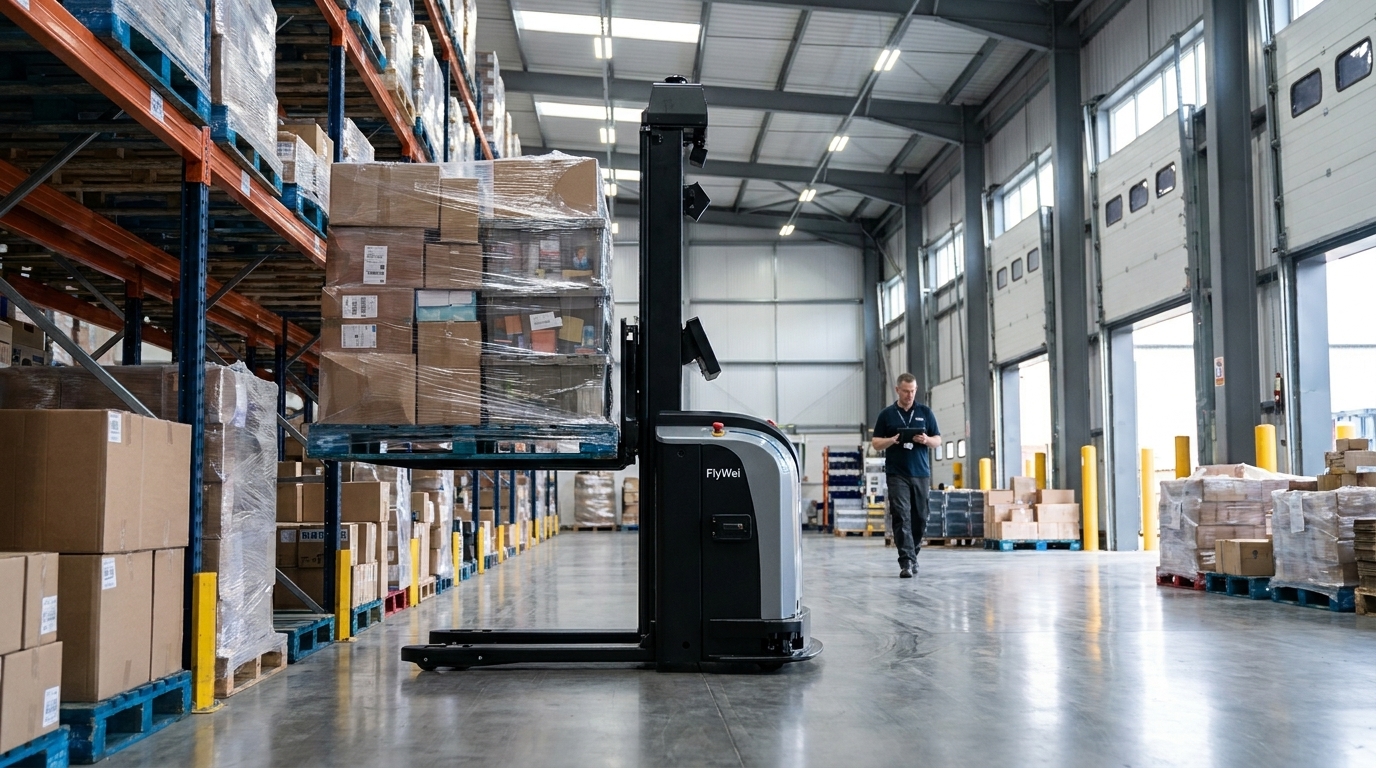
Autonomous forklift ERP integration is the controlled exchange of work between your business systems and a robot fleet, and the honest answer to the question is that autonomous forklifts never connect to an ERP directly. A fleet management layer sits between them, takes work from your ERP or warehouse system over a documented interface, translates it into robot missions, and writes completions and load confirmations back, so your existing system remains the record of stock. The stakes are highest in e-commerce fulfilment, where internet sales accounted for 28.3% of total retail sales in September 2026 (Office for National Statistics). For a supply chain director in Q4, the pain is not the vehicles. It is being asked to approve a fleet that posts stock movements into the same ERP that customer service, carrier bookings and replenishment all depend on, with no clear answer on what happens when a single message fails.
Why ERP integration, not the robots, decides the project
Autonomous vehicles are now the predictable part of a warehouse automation project. Navigation, load handling and safety behaviour on a reach truck are covered by published standards and tested the same way on every site. What varies between one e-commerce fulfilment centre and the next is the state of the data the robots must act on, and who may write into it.
In a fast-growing fulfilment operation the ERP is rarely the only system in the loop. There is usually a warehouse system underneath it, a carrier integration beside it, and overrides that quietly hold the whole thing together through peak. Locations get reused and relabelled. Balances are trusted at SKU level but not always at pallet level. A robot fleet is indifferent to all of this: it moves what it is told to move, and reports what it did.
That is why projects stall after the vehicles arrive. Nobody disagreed about the trucks. The disagreement was about which system issues the work, which owns the location master, what a partial move means, and who is accountable when the fleet reports a completion the ERP will not accept. Those questions are answerable, but only while the specification is open. If your systems have no modern interface at all, that is a separate and solvable problem: see how to integrate robots if your system has no API.
Autonomous forklifts do not connect to an ERP directly. A fleet management layer takes work from the ERP over a documented interface, turns it into robot missions and writes completions back, so the ERP stays the record of stock.
Lever 1: Start from the work your ERP already issues
The operational lever is to begin with a flow your business systems already describe end to end. In e-commerce fulfilment the usual candidate is replenishment from bulk storage to pick face, because the ERP already knows what has been depleted, where the pick face is, and what priority the task carries. Nothing new has to be invented for the robots to have work.
Write down, in plain language, the five fields that describe one task: what to move, from where, to where, by when, and at what priority. If your team cannot fill those fields from existing data without a human interpreting something, the flow is not ready, and you have found your first piece of remediation work rather than your first robot. Prove one round trip, then widen, so the integration is tested against real volumes before it carries peak.
Lever 2: Put a fleet layer and an interface contract between the systems
The technical lever is to insist on a documented interface contract rather than a bespoke connection between a vendor's robots and your ERP. The fleet manager, in FlyWei's case M4, is the only component speaking to your business systems. It receives task requests, decides which vehicle takes which mission, handles traffic, and returns acceptance, progress, completion and exception messages. Your ERP never issues a path, a speed or a mast movement.
Underneath that, the interface between the fleet manager and the vehicles should be an open standard. VDA 5050 is the interface that lets vehicles from more than one manufacturer take missions from one fleet manager, which is what keeps a second phase competitive rather than locked to whoever won the first. Ask whether a supplier speaks that standard natively or through an adapter. For the detail of what crosses that boundary, see what data a robot fleet exchanges with an ERP.
| Integration route | What your system must provide | Where it stalls | Best suited to |
|---|---|---|---|
| Live interface to the fleet manager | A documented interface for work and confirmations, plus a test environment | ERP change control, and test environments | Replacing a manual flow with a live one at peak |
| Middleware or message queue | Any readable source of work, plus field mapping | Ownership: each supplier assumes the other handles retries | Estates where the ERP cannot be modified |
| Scheduled file exchange | A timetabled export of work and import of confirmations | Timing rules and duplicate suppression | Older systems, proving data before the link |
| Manual entry at the fleet console | Nothing, so stock is reconciled separately | Reintroduces the keying errors you automated to remove | Short pilots, or fallback during a planned ERP outage |
Lever 3: Specify exceptions and reconnection before you specify robots
Most integration disputes are really disputes about failure. A well-designed link degrades rather than stops: vehicles finish the mission already issued, then hold safely, while the fleet layer queues completions and replays them once the link returns. Two questions separate a serious supplier from an optimistic one: how long the fleet manager runs detached, and how duplicate messages are prevented on reconnection.
Write the answers into the specification as acceptance tests, not reassurances. Pull the network during factory acceptance and watch the fleet. Reprocess a completion file twice and confirm the ERP shows one movement, not two. Abandon a mission halfway and check an exception reaches a named person rather than a log nobody reads. Decide in advance whether a failed move posts nothing or a partial. For the network side of the same question, see what happens if the network fails during robot operation.
Lever 4: Treat the link as work equipment and as an OT connection
The regulatory lever is to recognise that an ERP link to mobile plant creates two sets of duties at once. The vehicles are work equipment, so the Provision and Use of Work Equipment Regulations, set out in full on legislation.gov.uk, require that they are suitable, maintained and used only by trained, informed people. HSE also publishes the wider workplace transport legislation on vehicle and pedestrian separation. Driverless industrial trucks have their own safety requirements in BS EN ISO 3691-4, and a supplier should show how each clause is met on your layout rather than in general.
The second duty is the connection itself. Once a business system can cause a vehicle to move, you have joined an enterprise network to operational technology, and the NCSC guidance on operational technology is the right reference. Standard practice is to segment the robot network, restrict the integration account to the fields it needs, log all traffic, and control supplier remote access with named accounts. Industry bodies including Logistics UK have made the same point for telematics. It has to be designed in: retrofitting segmentation to a live fleet during peak is not realistic. For more, see whether robot to ERP integration creates a security risk.
What FlyWei does here
FlyWei is an independent systems integrator, so the integration layer is the product rather than an afterthought attached to a vehicle sale. FlyWei designs the interface between your ERP and warehouse systems and the fleet, builds the mapping for locations, loads and exceptions, and specifies the autonomous forklift ERP integration scope as visible line items: who builds each side, what a test environment must contain, how exceptions reach your team, and what support after go live covers.
FlyWei, the UK partner of SEER Robotics, matches the vehicle to the flow rather than to a catalogue. A high bay replenishment loop in an e-commerce fulfilment centre may want FlyWei autonomous forklifts in a narrow aisle reach truck class, while a goods to person loop on the mezzanine suits a latent jacking AMR. All take missions from M4, the FlyWei fleet manager, which holds the traffic rules and the interface to your business systems. The robot dispatch software turns an accepted task into a mission, selects the vehicle and reports back.
Your supply chain team keeps one record of stock, your IT team reviews one interface rather than several point to point connections, and a second phase can add a vehicle class without reopening the integration. If you are weighing whether the warehouse system has to change at all, start with whether you need to replace your WMS to use AMRs.
Frequently asked questions
Do we need to replace our WMS to use autonomous forklifts?
Usually not. An orchestration layer sits above the warehouse system and takes work from it, so that system stays the source of truth for stock and orders. Replacement is only worth considering where it cannot expose work through an interface or a scheduled export, and even then middleware is cheaper.
What data does a robot fleet exchange with an ERP?
Inbound, the fleet receives task requests: what to move, from where, to where, with priority and deadline. Outbound, it returns acceptance, progress, completion, exceptions and load confirmations that trigger stock movements. Telemetry such as battery state and fault codes stays in the fleet layer.
How long does autonomous forklift ERP integration take?
It depends far more on data access than on the vehicles. Commissioning trucks is rarely the long pole. Mapping order and stock fields, agreeing exception handling and testing against live data are. Projects move fastest where a documented interface and a test environment already exist.
What happens if the ERP or the network goes down during a shift?
A well-designed integration degrades rather than stops. Robots finish the mission already issued and then hold safely, while the fleet layer queues completions and replays them once the link returns. Ask how long the fleet manager runs detached, and how duplicates are prevented on reconnection.
Does connecting robots to our ERP create a cyber security risk?
It creates a link between business and operational systems, so it should be designed like any other. Segment the robot network, limit the integration account to the fields it needs, log traffic and control supplier remote access. Zone and conduit models from recognised OT security guidance are the usual reference.
Can we add another manufacturer's vehicles later?
Yes, where the fleet manager speaks an open vehicle interface such as VDA 5050 and the integration sits at the fleet layer rather than inside one supplier's stack. That is the practical test of whether a second phase stays competitive.
If approving a robot fleet that writes into your live ERP is on your Q4 risk register, test one flow on paper before anyone quotes vehicles.
Get a 48-hour feasibility read on your highest-volume flow and FlyWei will map the five task fields, the confirmation path and the exception routing for that flow against what your systems can actually expose. If your data is not ready, you will be told that first. Compare vehicle classes on the FlyWei autonomous forklifts page.
No obligation, and a reply within one business day.