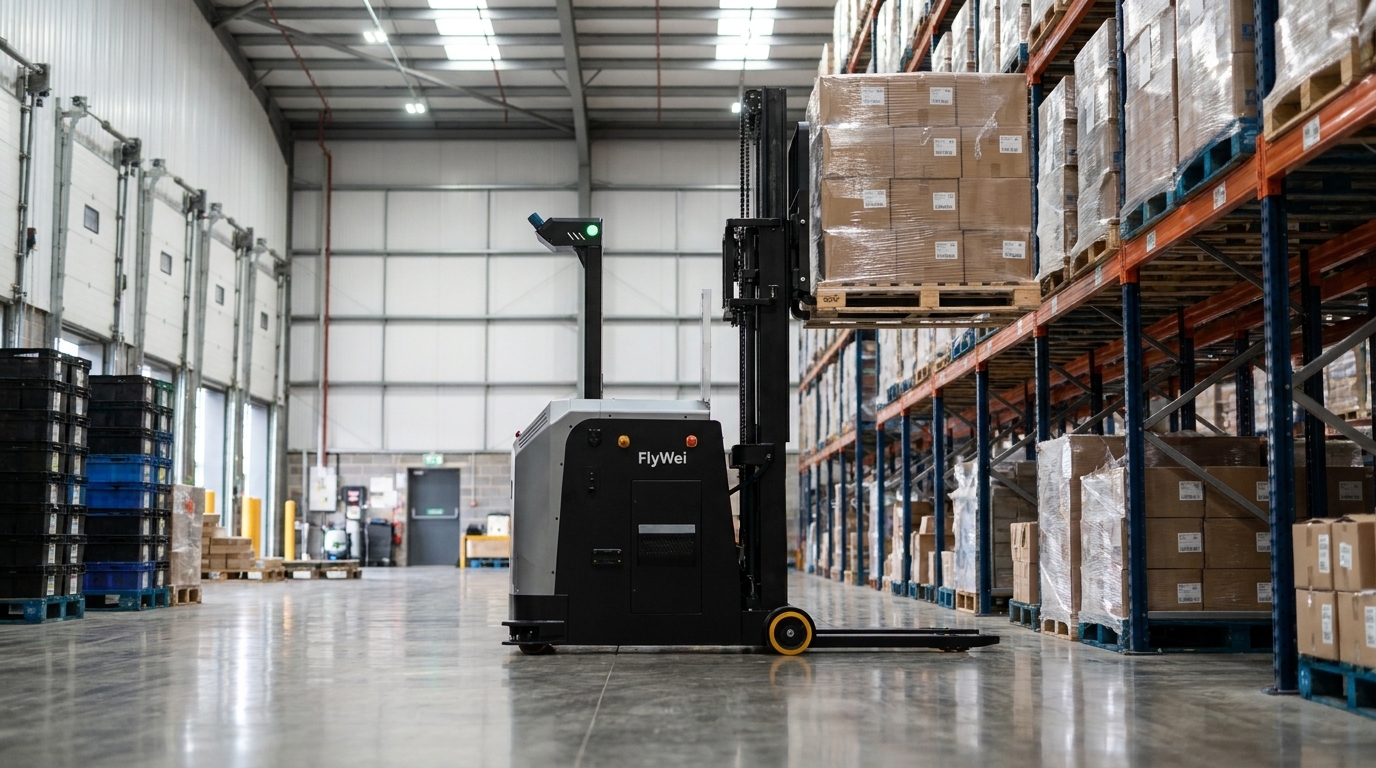
Robot ERP integration security is the set of controls that lets a robot fleet and a business system exchange work safely: a segmented robot network, an integration account scoped to the fields it needs, full traffic logging, and supplier remote access granted for a session rather than left standing. The exposure is measured, not theoretical, because 69% of large UK businesses identified a cyber breach or attack in the previous 12 months in the Department for Science, Innovation and Technology Cyber security breaches survey 2025/2026. For a supply chain director in engineering and heavy industrial parts, that figure arrives the week the robot business case reaches security review and stalls. Nobody can say which account holds which permission, or who dials in at 2am to clear a fault on a truck carrying castings. Autonomous forklifts never connect to an ERP directly: a fleet management layer sits between them, so the integration account only ever touches the handful of fields a robot mission needs.
Why it happens
Engineering and heavy industrial parts sites rarely start from a clean network. A machining hall, a heat treatment cell and a finished parts warehouse have grown over two decades, and the warehouse half is usually the flattest part of the estate. Everything that needed an address got one, on the same subnet, because that was the quickest way to make a handheld terminal work.
Into that estate arrives a robot project. The fleet needs to know what to move and where, which means a link to the system holding the stock record. Under schedule pressure the fastest path is a service account with wide rights, a firewall rule opened to any port the supplier mentions, and a remote support tool on the fleet server. Each decision is reasonable alone. Together they create exactly the finding a security reviewer is paid to raise.
Three UK specifics sharpen it. Insurers now ask direct questions about segmentation and privileged access before quoting. The National Cyber Security Centre guidance on operational technology is explicit that connections between an OT environment and the enterprise network or the internet must be managed deliberately. And the duty holder for the robot as work equipment under the Provision and Use of Work Equipment Regulations 1998 is the operator, not the supplier, so a control that lives only in a supplier runbook is not evidence.
The deeper cause is ownership. Automation sits with operations, the network sits with IT, and the seam sits with nobody until a committee asks who signed it off. Projects that answer that in week one are not stopped in month six.
Lever 1: Segment the robot network before anything is connected
Treat the fleet as its own zone with a single documented crossing point: a dedicated VLAN for the trucks and their wireless infrastructure, a separate segment for the fleet server, and one controlled conduit to the business systems. Nothing on the truck VLAN initiates a connection to the corporate network, and nothing on the corporate network reaches a truck directly. BS EN IEC 62443 supplies the vocabulary, zones and conduits, which shortens the review.
Draw the zone diagram before the first cable is pulled, because retro-fitting segmentation after go-live means an outage on a line that now depends on the robots. On a heavy parts site, scope the zone around the physical flow rather than the building: goods inwards, the castings buffer, the machining feed and the despatch lanes are one operational zone even across two roofs.
The design review test is simple. If a laptop is unplugged from an office port and plugged into one in the warehouse, what can it reach? If the answer is the fleet server, the design is not finished.
Lever 2: Scope the integration account to the fields a mission needs
A robot mission needs remarkably little: a source location, a destination, a load identifier, a priority and a way to confirm completion. It does not need purchase orders, supplier pricing, personnel records or the general ledger. Yet the integration account is often a copy of an existing interface account carrying all of them, because copying was faster than specifying.
Specify instead. List the fields a mission requires, grant exactly those, and write the list into the interface document so an auditor can compare it against the live permission set. The orchestration layer does the translation: the M4 fleet manager takes work from the business system over a documented interface, turns it into routes, traffic rules and vehicle assignments, then writes completions back, so the existing system stays the record of stock. The trucks are addressed over the VDA 5050 open standard, so the permission model survives a fleet extension. Our companion piece on what data a robot fleet exchanges with an ERP sets out the full field list, and our guide to replacing a WMS for AMRs covers whether the warehouse system itself has to change. Rotate the credential on a schedule and make a failed rotation raise an alert, not a stopped fleet.
Lever 3: Log both sides and make supplier access a granted session
Logging converts an argument into a fact. Capture every message across the conduit, with a timestamp, the account used, the mission identifier and the response, and keep it where the security team already looks. When a pallet reaches the wrong lane or a load confirmation never appears in the stock record, the log settles in minutes what otherwise costs a day of meetings. It also answers the audit question no runbook can: show me what this account did last month.
Standing remote access is the other half. Supplier support needs a route in, but not a permanent one. Broker each session: a request, a named engineer, a time-boxed window, a recording and an automatic close. If three suppliers each hold a different always-on tool, consolidate them. FlyWei sets this out as part of industrial robot servicing and support, so out of hours fault clearance does not depend on an open door. Pair it with a tested answer to lost connectivity, covered in what happens if the network fails during robot operation.
Lever 4: Put the cyber controls inside the PUWER evidence pack
A robot truck is work equipment. The operator carries the duty under the Provision and Use of Work Equipment Regulations 1998, alongside the workplace transport duties the Health and Safety Executive sets out for vehicles in the workplace. ISO 3691-4 covers safety requirements for driverless industrial trucks, and it is where a safety case for autonomous operation starts.
The practical move is to stop running two files. A traffic rule change, a firmware update, a new mission type or a revised permission set changes the safety case as well as the network, so route all of them through one change record with one approver list. Where a control exists for cyber reasons and also protects a safety function, say so in the risk assessment, because that is the sentence an inspector or an insurer looks for. Keep the UKCA documentation, the zone diagram, the permission list and the remote access policy in one version controlled pack, so the review at the next DC takes days rather than months.
| Control | Typical effort | What it prevents | Owner |
|---|---|---|---|
| Network zone and single conduit | 2 to 4 weeks of design, before cabling | Lateral movement from office network to fleet layer | IT with automation lead |
| Least-privilege integration account | 2 to 3 days to specify, hours to implement | A robot interface reading commercial or personnel data | Business systems owner |
| Two sided message logging | 1 week, plus retention in the existing log platform | Unexplained stock moves and unprovable audit answers | IT security |
| Brokered supplier sessions | Days, where a privileged access tool exists | Standing third party access with no record of use | IT security with procurement |
Autonomous forklifts never connect to an ERP directly: a fleet management layer sits between them, so the integration account only ever touches the handful of fields a robot mission needs.
What FlyWei does here
FlyWei is an independent systems integrator of autonomous forklifts and AMRs, so the integration design is not shaped by one manufacturer's software. For an engineering and heavy industrial parts operation, FlyWei starts at the seam rather than the truck: a zone and conduit diagram, the field list the missions require, the logging destination and the remote access arrangement, all agreed before a robot is specified.
From there FlyWei designs and delivers the fleet. The M4 fleet manager holds the traffic rules, the mission logic and the interface to your business system, and the robot dispatch software turns an order into moves across mixed vehicle classes: counterbalanced trucks for 2 tonne castings pallets, reach trucks for narrow aisle putaway, tuggers where sub assembly trolleys travel together.
The deliverables a reviewer asks for come with the project: the interface specification and its permission list, the zone diagram, the logging design, the remote support policy and the change route tying them to the PUWER and ISO 3691-4 evidence. FlyWei then supports the fleet through scheduled maintenance, software updates and ERP integration services that keep the interface current when the business system is upgraded.
Frequently asked questions
Does connecting robots to our ERP create a security risk?
It creates a link between an operational system and a business system, so design it like any other integration. Segment the robot network, limit the integration account to the fields it needs, log all traffic and control supplier remote access. BS EN IEC 62443 zones and conduits are the usual reference.
Can autonomous forklifts integrate with our ERP?
Yes, though not directly. A fleet management layer takes work from your ERP or warehouse system over a documented interface and translates it into robot missions. Completions and load confirmations are written back, so your existing system remains the record of stock.
What permissions does the integration account actually need?
A source location, a destination, a load identifier, a priority and the ability to write a completion. That is normally the whole list. Anything beyond it should be challenged at design review and removed before go live.
Who is responsible if a robot fault turns out to be a network problem?
The operator holds the duty for the equipment under PUWER, so responsibility cannot be contracted away. What can be agreed is the evidence: logs on both sides of the conduit, one change record covering network and safety changes, and a named approver.
Do we need a separate firewall for the robot fleet?
Not necessarily a separate appliance. What matters is one documented crossing point between the robot zone and the business network, with rules allowing only the traffic the interface requires. Many sites achieve it with existing hardware and a new rule set.
How does supplier remote support work without standing access?
Each session is requested, approved, time boxed, recorded and closed automatically. The engineer is named and the window is short. Planned maintenance uses the same route, so no permanent open connection waits to be found.
If an unanswered security question is holding a robot business case on your Q4 risk register, the fastest way to clear it is to design the seam first.
Get a 48-hour feasibility read on your highest-volume flow and FlyWei will come back with the zone and conduit outline, the field list your missions need and the fleet shape that fits, built around the M4 fleet manager.
No obligation. We reply within one business day.